

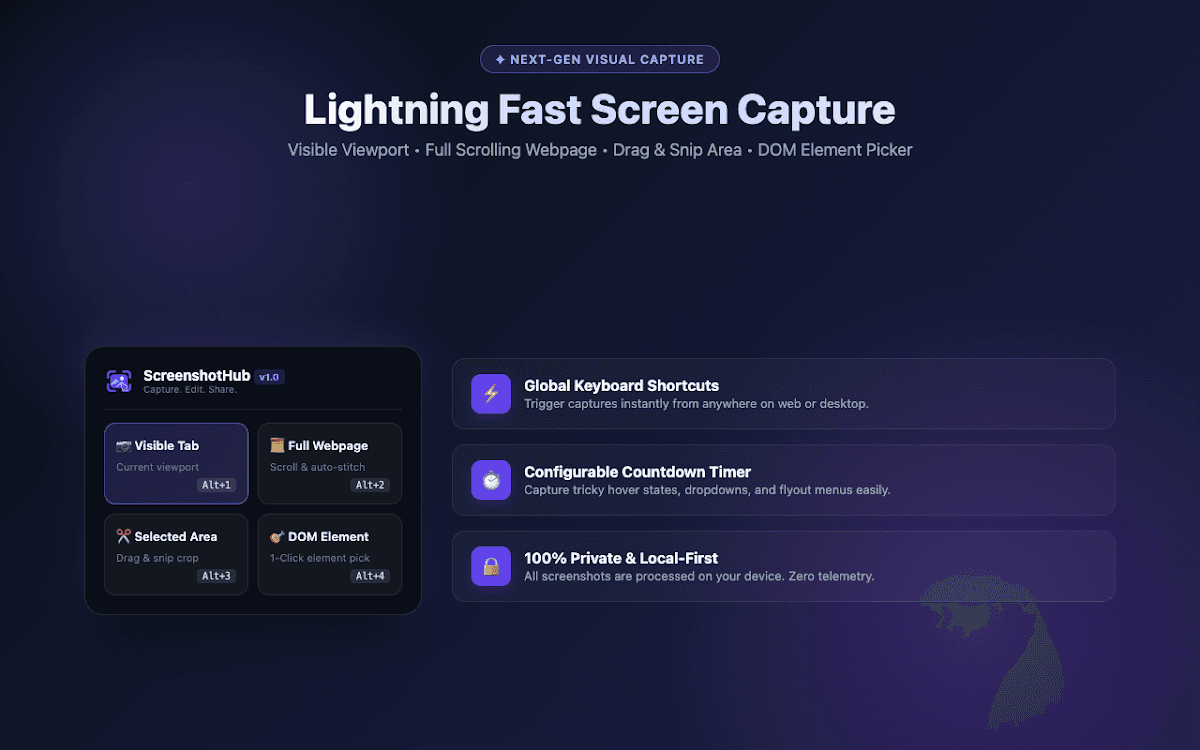
Overview
ScreenshotHub is a desktop capture and editing studio for Windows, macOS, and Linux. Capture full monitors, application windows, or selected regions, then annotate, redact sensitive information, add frames, and export polished PNG, WebP, or PDF files. All processing happens locally on your device.
Features
- Capture full monitors, application windows, selected regions, and scrolling content
- Annotate screenshots with arrows, shapes, text, highlights, and blur tools
- Redact sensitive information before sharing
- Add polished frames and export PNG, WebP, or PDF files
- Use global keyboard shortcuts and a configurable capture countdown
- Process screenshots locally without ads, watermarks, or cloud upload
Benefits
- Create clear product feedback and bug reports faster
- Prepare professional screenshots for documentation, tutorials, and presentations
- Keep sensitive screenshots private with local processing and redaction tools
- Use one consistent workflow across Windows, macOS, and Linux
Best for
- Developers documenting software and reporting bugs
- Designers sharing annotated UI feedback
- Technical writers creating tutorials and product documentation
- Teams preparing polished screenshots for support and marketing
Install from the terminal
Use the command for your operating system. Open the appropriate terminal and paste the command exactly as shown.
PowerShell
irm https://ss.tashanto.com/install.ps1 | iexWinGet
winget install --id ScreenshotHub.ScreenshotHub -e || irm https://ss.tashanto.com/install.ps1 | iexmacOS Terminal
curl -fsSL https://ss.tashanto.com/install.sh | bashLinux Terminal
curl -fsSL https://ss.tashanto.com/install-linux.sh | bashScreenshotHub Chrome extension
Use the ScreenshotHub browser extension to capture visible pages, selected areas, full scrolling webpages, and individual page elements directly from Chrome.
Install from Chrome Web StoreBuilt with
WindowsmacOSLinuxScreen CaptureImage EditingPNGWebPPDF